A website that learned to ask a better question
Vibe-Coding a Research Portfolio
My old site listed projects and papers, but it did not tell visitors what I was actually studying. I wanted the redesign to feel like me—curious, a little playful, and serious about evidence—while making the research question easier to find than the interface tricks.
Design question How can the site show both the work and the judgment that shaped it without asking people to read a development log?
Archive, redesign, ongoing experiments
The redesign did not arrive as one reveal. These are the three turns that changed what the site was for.
-
1 · The archive made the problem visible
I could see the work, but not the thread.
The February archive is competent and crowded. Papers, projects, biography, and navigation all ask for attention at once. Saving that page gave me something concrete to critique instead of redesigning from memory.
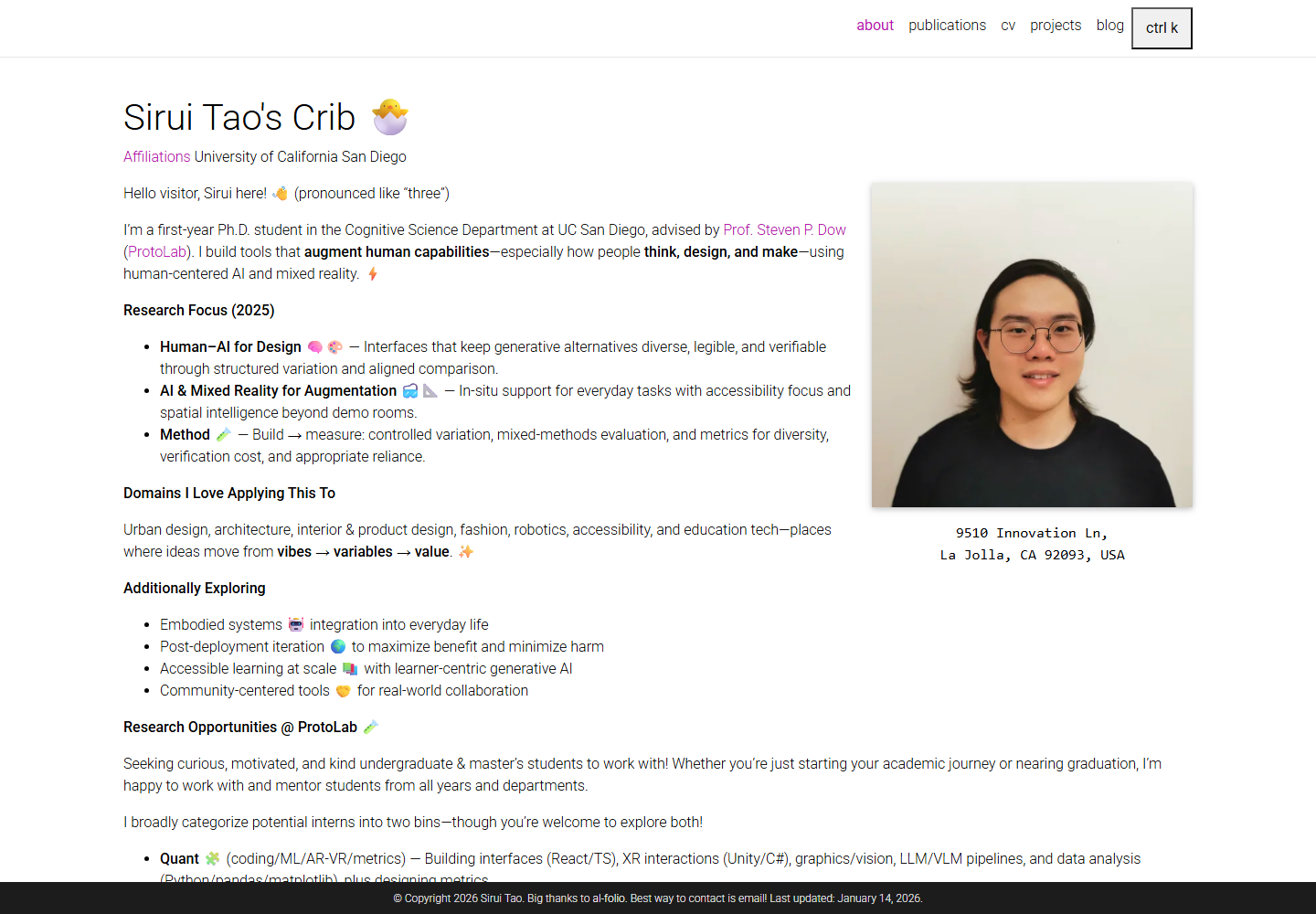
Archive · February 9, 2026. Wayback served this 1440 × 1000 artifact at 01:34:29 UTC. The source viewport, theme, interaction state, and producing commit were not retained. -
2 · The research question became the front door
I made the thesis louder and the interface quieter.
The next direction brought my research claim, affiliation, proof routes, and a small number of actions into one reading order. Paper, desk objects, and motion stayed only when they helped a visitor understand how I design, evaluate, and situate AI tools.
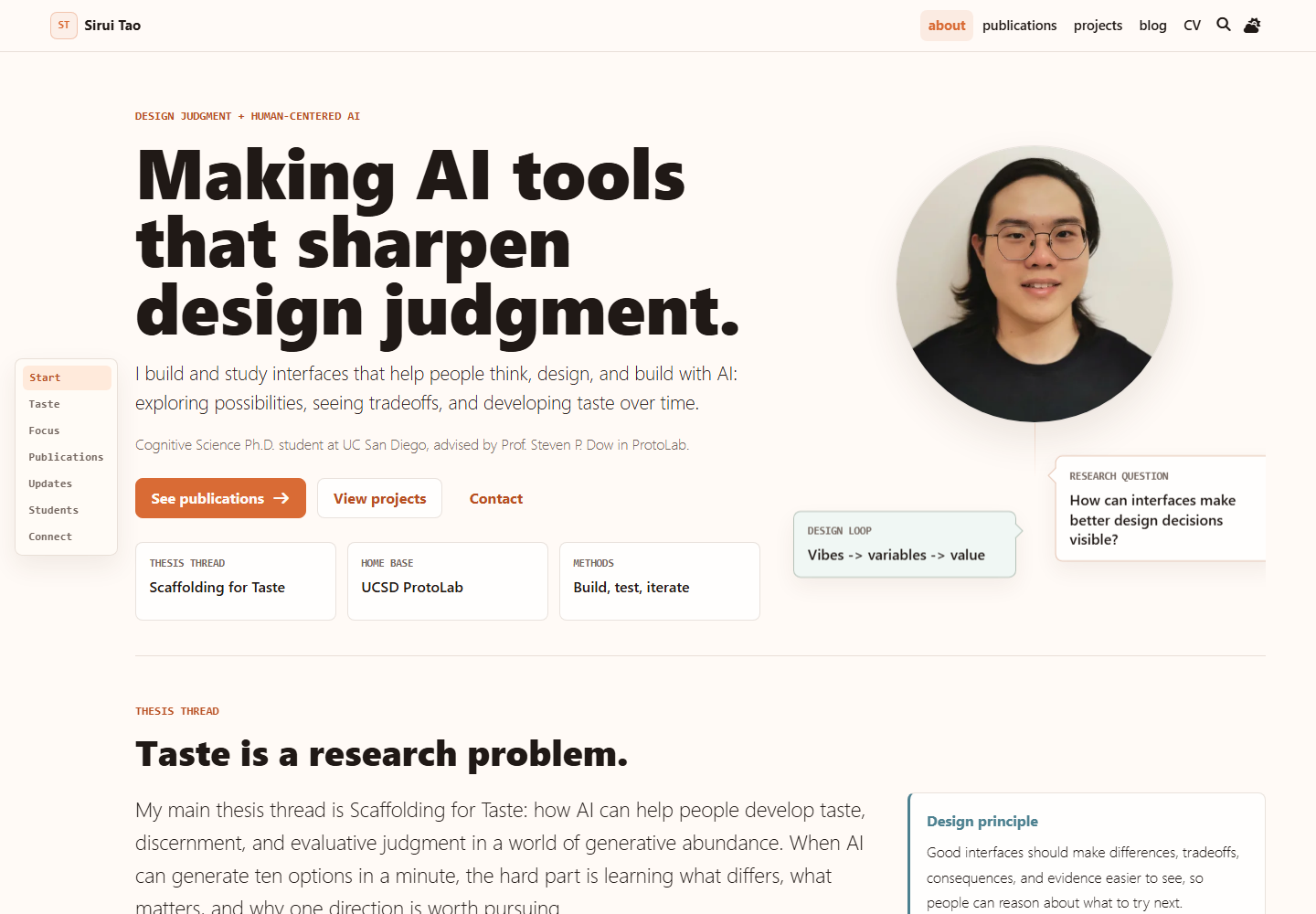
Artifact stage · repository change June 16. This file records the warmer paper-and-desk direction, not today's live page. Its original capture conditions were not recorded. -
3 · The experiments started telling their own stories
I stopped hiding the design thinking behind a history icon.
The live site now uses a quiet thread glint to point from an interaction back to its origin. If someone follows it, the project page explains the question, change, evidence, and limit—not merely the commits.
One place, before and after
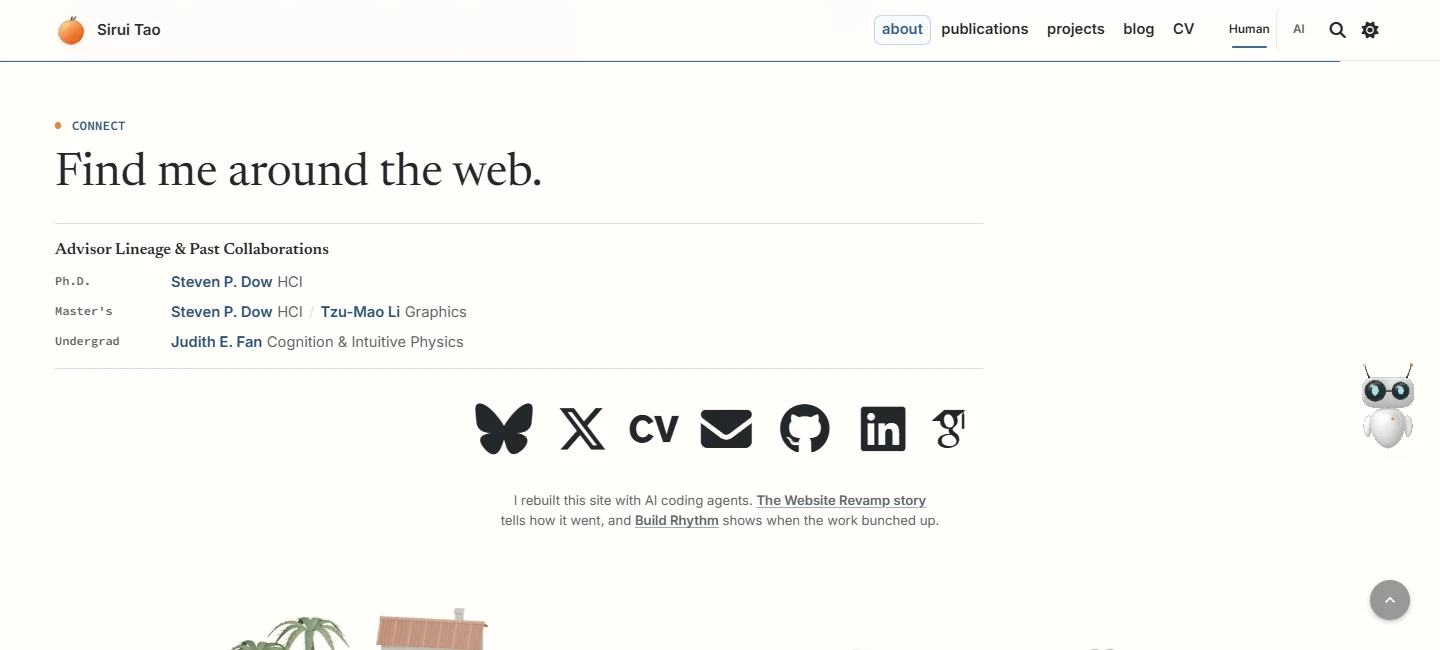
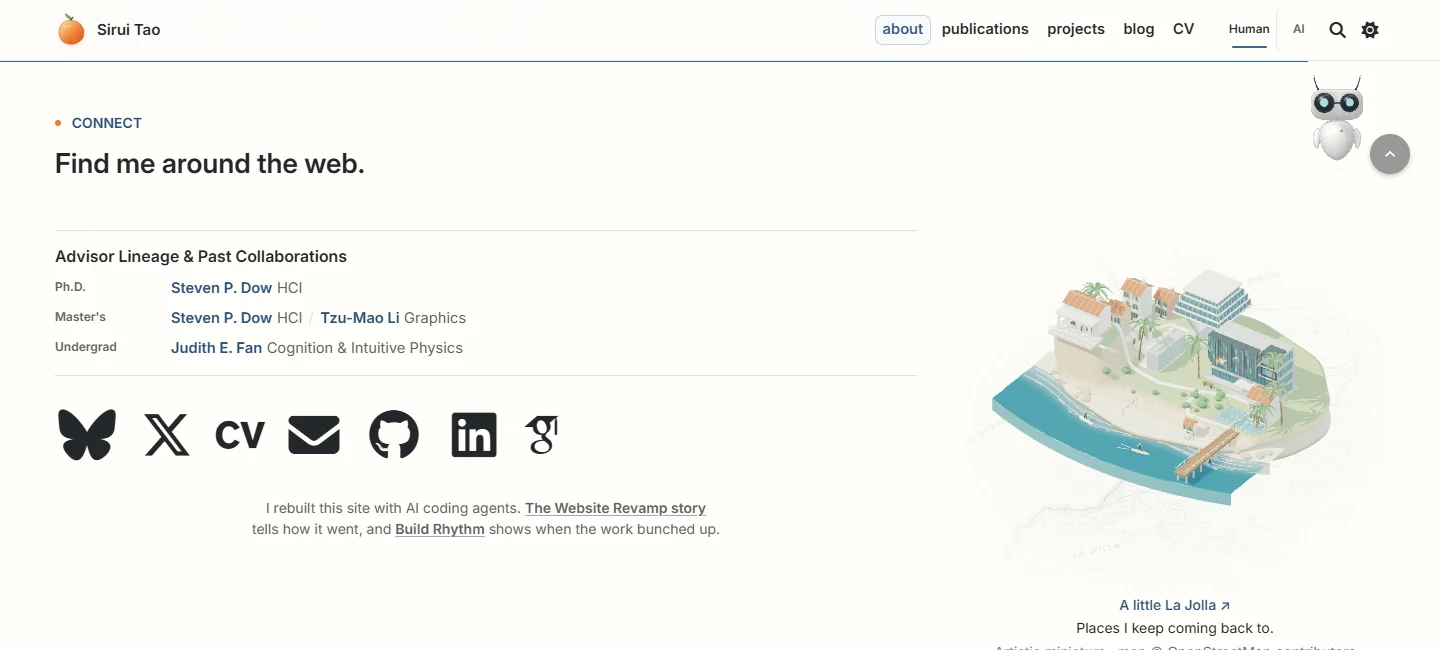
The Connect section used to end with a wide empty corner. The revision puts the same research relationships and links beside a small La Jolla, and uses the coastal footer as the page’s end. Drag the divider to compare the same route, scroll anchor, noon theme, and viewport.
Five principles I kept
The full heuristics file is a living teaching artifact, not a wall of rules to embed in every story. These five principles do most of the work:
- Lead with the question. A visitor should understand what I study before decoding my biography or interface.
- Spend attention once. Fewer type levels, containers, actions, and repeated explanations make the remaining choices feel intentional.
- Make motion mean something. Movement should reveal a state, comparison, or path—and settle into an equally legible still frame.
- Keep proof close. Put the paper, project, image, data, or limitation beside the claim it supports.
- Render, notice, reframe. Compare fixed screenshots as a research peer, student, non-specialist, and collaborator; keep the change only if the story becomes clearer.
Read the living source Download the Markdown Read my AI-assisted design reflection
A sketch for “Design, Evaluate, Situate.”
The 2D layer below explains three research moves. The new Dot Orbit field stays behind it: each mode changes spread, density, and tempo, but the words and semantic drawing still carry the idea. If WebGL disappears, nothing a visitor needs disappears with it.
Research sketch
Try the research sketch.
Change the research lens, then the time-of-day theme. The semantic drawing keeps explaining the idea while a quiet shader changes the field underneath it.
Showing the Design motion sketch. Put several design options side by side so people can name what changed and choose what to test.
Human-AI for design and taste
This lens makes design options visible enough for students to compare what changed and decide why it matters.
- 01
Name the variable behind a vague vibe.
- 02
Keep alternatives comparable before critique.
- 03
Use motion to show how options gather, compare, and reopen.
Evidence before iteration
After someone uses the artifact, this lens asks which traces, failures, and reactions should change the next version.
- 01
Show probes and measures in a readable editorial flow.
- 02
Connect speed with critique and reflection.
- 03
Keep evaluation close to the thing being evaluated.
Context changes the shape of help
This lens designs help around the people, tasks, tools, and spaces where the work actually happens.
- 01
Draw anchors for people, tasks, tools, and spaces.
- 02
Let pointer motion suggest context through gentle anchors.
- 03
Keep assistance calm enough to stay usable.
Motion note Inspired by motion craft from Stripe's design team and Katie Dill at Stripe Sessions.
Live field The visible Dot Orbit layer uses Paper Shaders by Paper; the restraint also follows the founder's design walkthrough.
The site is part of the practice
Codex made implementation passes fast; it did not decide what deserved attention. I used the rendered site as a shared object for reflection: I acted, noticed what the page made easy or awkward, and reframed the next move. That is close to Donald Schön’s The Reflective Practitioner, and it is also distributed cognition in a very practical sense—the screenshots, heuristics, browser states, code, and critique carried parts of the judgment across sessions. The goal is not a frozen style guide. It is stronger professional vision with each pass.
Receipts: captures, commits, and reproduction notes
- Archive artifact:
old-home-wayback.png, 1440 × 1000, captured by Wayback at20260209013429; added to this repository on May 23 ate4f021520. The exact historical site commit, source viewport, theme, and interaction state are not retained. - Artifact-stage checkpoint: the legacy-named
current-home-desktop.png, 1440 × 1100, last changed atd5c636509on June 16. Its capture date and environment were not recorded. “Current” is a filename, not a status claim. - Current evidence: the live homepage and linked case studies. The matched September Connect comparison is a dated checkpoint with its capture settings retained.
- Paper texture: generated deterministically from Paper Texture in
@paper-design/shaders@0.0.80. The seed, parameters, output hash, generator, Apache license, and vendor hashes are stored beside the asset and dependency. - Review method: compare the same route, viewport, theme, and interaction state; keep the research meaning and signature phrases fixed; record what became clearer or harder to notice.
-
WaybackArchived the older public homepage at 01:34:29 UTC; its producing Git commit is unknown. -
e4f021520Introduced the research-motion redesign checkpoint and ingested the archive artifact. -
d5c636509Last changed the paper-and-desk artifact now labeled as historical; its capture date is unknown.
Credits
The research-image lens, inline project previews, sticky explanation, and comparison slider take interaction cues from Aceternity’s Lens, Link Preview, Sticky Scroll Reveal, and Compare. The materials folder and playful thumbnail color treatment reference React Bits’ Folder and Chroma Grid. These are small original implementations in this site’s Jekyll, CSS, and JavaScript stack; no React component source is bundled.
This redesign borrows principles, not visual identities or assets, from work I admire. The static paper surface and quiet research substrate use Paper Shaders by Paper; the founder’s design walkthrough sharpened the “less, but more intentional” pass.
Other important references are AI in Design 2026, its craft chapter, Stripe, Jackie Hu’s portfolio, Katie Dill at Stripe Sessions, Donald A. Schön’s The Reflective Practitioner, and the Wayback snapshot that made the starting point inspectable.